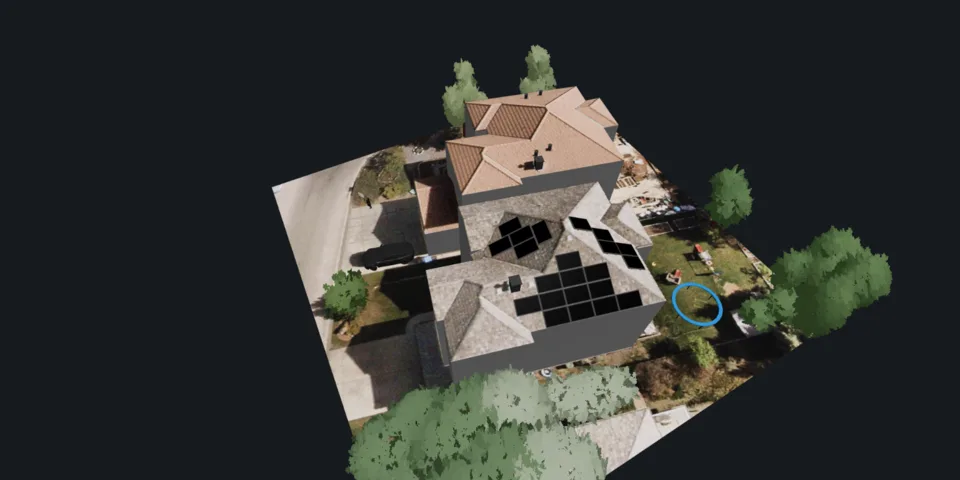
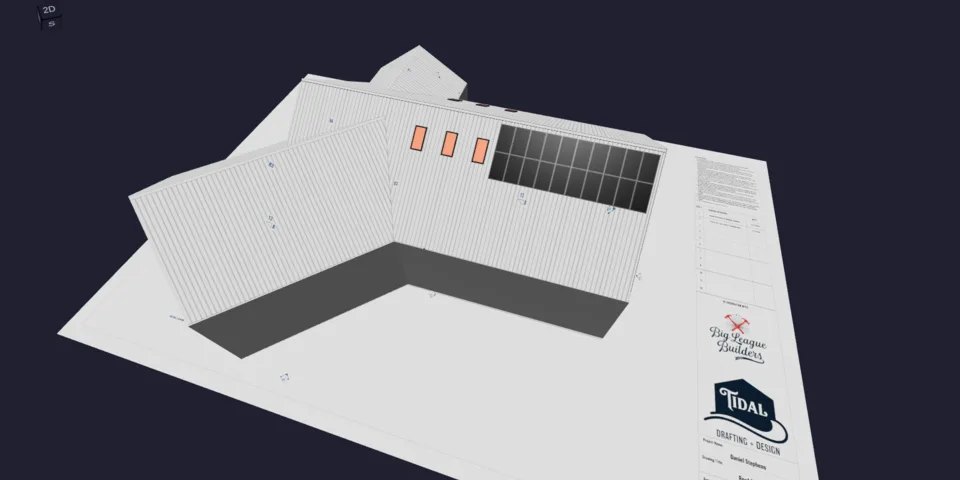
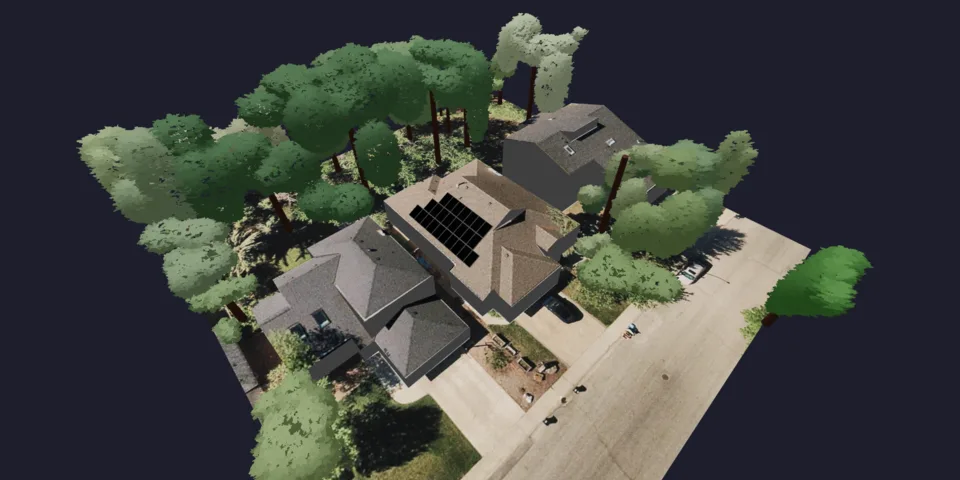
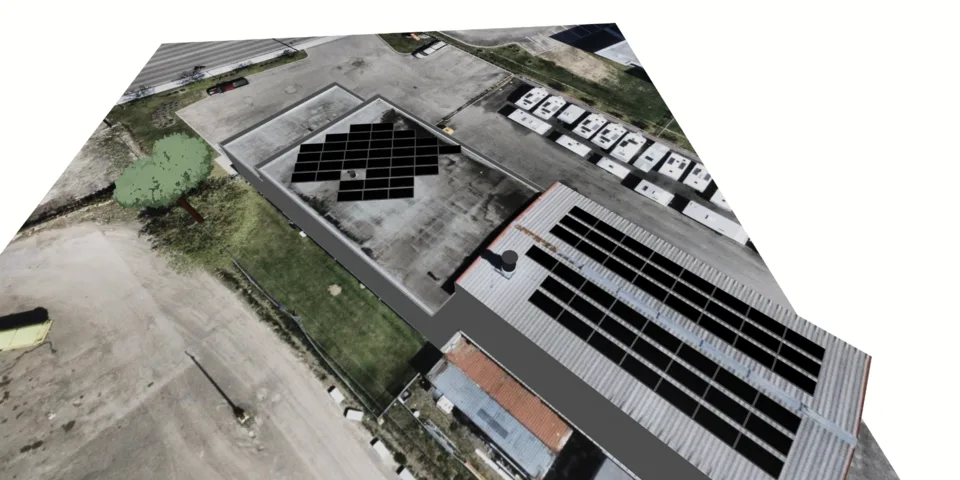
Maple Avenue home
Interested in solar + storage
View inquiry
Monthly electricity bill: $240. Looking for backup during outages.
Capture the lead on your website or at the door in Lilypad, then carry one record through design, proposal, install and service without re-typing it. Add every setter, closer, designer and crew, with unlimited users and branches on every plan.
Explore leads, projects, crew schedules and customer conversations in this working example. Open Projects to move the same records through six connected views, ask Pericles for a pipeline summary, or change the theme to make it yours.
Dashboard
Welcome back, Avery. Here is what needs attention today.
Find active leads, quotes, and fleet systems by location.
No matching locations. Try another search or stage.
Demonstration locations use town centres, not customer addresses.
Latest movement in your pipeline
Tasks that need movement
Next appointments
Sales pipeline
Four sample leads, with their source, owner and next step.
Interested in solar + storage
Monthly electricity bill: $240. Looking for backup during outages.
Referred by an existing customer
South-facing roof. Homeowner would like an introductory call.
Site visit requested
Riley spoke with the homeowner in the field. Avery owns the next conversation.
Bills and site photos received
Small commercial roof. Ready for the design team to assess the site.
Source, owner and the original conversation stay connected as a lead becomes a project.
November 9–13, 2026 · Atlantic Time
Prepared installation work, grouped by crew.
| Crew | Mon 9 | Tue 10 | Wed 11 | Thu 12 | Fri 13 |
|---|---|---|---|---|---|
| Riley’s crew3 installersRiley · Crew captain |
Billing operations
Create invoices, follow collection status, and keep customer balances current.
| Invoice | Project | Description | Amount | Status | Project details |
|---|---|---|---|---|---|
| INV-1042 | Kingston residence | Installation deposit | $6,240 | Paid | |
| INV-1043 | Falmouth residence | Installation deposit | $7,560 | Sent | |
| INV-1044 | Wolfville residence | Installation deposit | $5,760 | Draft |
The customer’s view
Proposals, signatures and invoice history belong to the same customer relationship.
Marketing
Run lifecycle sequences across quotes, leads, clients, and monitored systems.
A timely introduction, with a clear owner.
This example begins when “lead form submitted” happens, then works through each step in order. Your team can build sequences around leads, projects, signatures, schedules and installed systems.
Move from a yes to a prepared installation team.
This example begins when “proposal signed” happens, then works through each step in order. Your team can build sequences around leads, projects, signatures, schedules and installed systems.
Stay in touch once the panels are producing.
This example begins when “installation complete” happens, then works through each step in order. Your team can build sequences around leads, projects, signatures, schedules and installed systems.
Company settings
Change the theme, then keep exploring. Every screen follows your choice.
Choose a theme for this demonstration workspace.
Your logo, colors and typography carry through the company workspace and customer-facing documents.
Roles and visibility give sales, field teams and leadership the access they need.
Stages, proposal presets, equipment and automation rules can follow the way your company works.
Installed fleet
Monitor your installed solar and battery systems, follow system health, and give customers access to their results.
3 of 3 systems
No systems match these filters.
Illustrative monitoring records and sync times. No provider account is connected to this demonstration.
Installed fleet
Manage monitoring accounts and the systems imported into your fleet.
Sample connection states. Explore setup without entering credentials or contacting a provider.
Connect your company’s provider account, then choose which systems to import.
Solar production, equipment and fleet monitoring.
Developer-platform App API Key1 imported systems · ExampleSolar production and metering from your Enlighten installer account.
Partner application and installer credentials2 imported systems · ExampleProduction monitoring for your APsystems ECU sites.
Installer API App ID and App Secret0 imported systems · ExampleSolar and battery monitoring through Tesla Powerhub.
Powerhub client credentials and IP allowlisting0 imported systems · ExampleS-Miles Cloud production and monitoring equipment.
S-Miles Cloud Open API key0 imported systems · ExampleSolisCloud production and monitoring equipment.
Activated API access, KeyID and KeySecret0 imported systems · ExampleReview and confirm client matches after importing systems.
Monitoring provider
Solar production, equipment and fleet monitoring.
Developer-platform App API Key
Use an App API Key from a developer-platform Monitoring API application with Fleet Access. A retired monitoring portal key cannot replace it.
Monitoring provider
Solar production and metering from your Enlighten installer account.
Partner application and installer credentials
Use an Enphase Partner application and the matching Enlighten installer login. Save the application credentials, then authorize the connection.
Monitoring provider
Production monitoring for your APsystems ECU sites.
Installer API App ID and App Secret
Request Installer API access from APsystems and use the App ID and App Secret provided for your account.
Monitoring provider
Solar and battery monitoring through Tesla Powerhub.
Powerhub client credentials and IP allowlisting
Create a Powerhub client credential and allowlist Powerlily’s server addresses in Powerhub. Powerwall sites must belong to your instance or be shared through Partner Access.
Monitoring provider
S-Miles Cloud production and monitoring equipment.
S-Miles Cloud Open API key
Request an S-Miles Cloud Open API key with permission to read your systems. A normal account password is separate from the API key.
Monitoring provider
SolisCloud production and monitoring equipment.
Activated API access, KeyID and KeySecret
Arrange activated SolisCloud API access, then use the KeyID and KeySecret from API Management. These are separate from your account password.
Connections · Preferences
Refresh production and monitoring data for systems already imported into your fleet.
Provider limits can spread completion over time.
This company preference keeps imported systems current.
Quote settings
Manage the rebates, tax credits, and discounts available on your proposals.
3 incentives configured for your company.
Illustrative company settings. Amounts, rates and usage counts are demonstration data.
Quote settings
Create reusable loan terms and rate tiers for monthly payment proposals.
2 options configured for your quotes.
Illustrative company settings. Amounts, rates and usage counts are demonstration data.
Quote settings
Manage electricity rates, metering rules, and export compensation used in quote calculations.
Find a saved rate plan or duplicate one as a starting point.
3 utilities available when building quotes.
Illustrative company settings. Amounts, rates and usage counts are demonstration data.
From the first knock to a booked solar consultation.
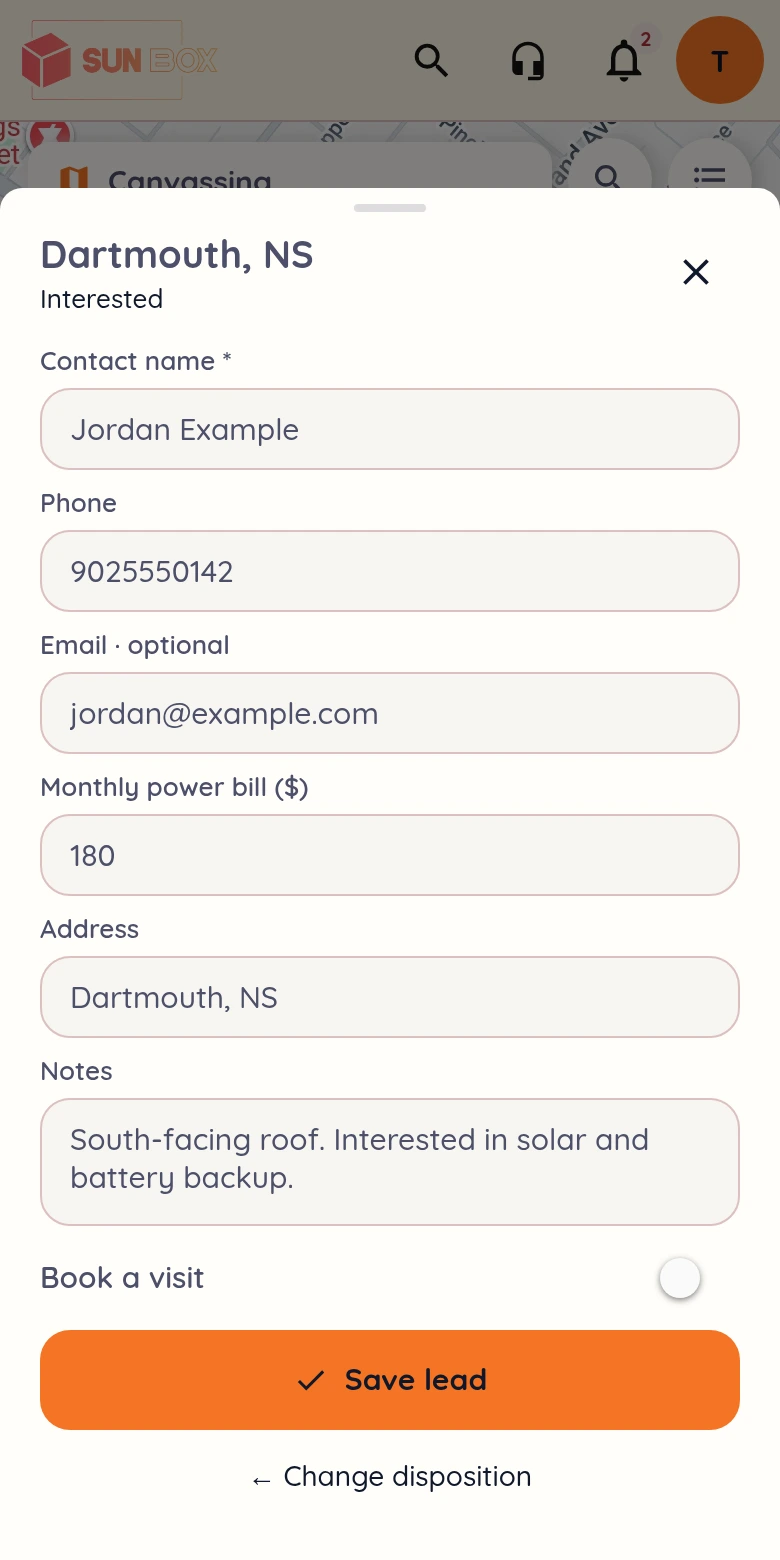
Example contact details. Save previews the outcome in this demo.
5 doors knocked today
Assigned sample areas · Riley Bennett
Try the sample stops. Changes stay in this example.
Product library
Solar modules available for system designs and pricing.
1 of 1 products
Sample monocrystalline module for onboarding and test proposals.
Sample string inverter for standard grid-tied PV systems.
Sample microinverter with one independent MPPT and one module input. DC current limits are per input.
Sample microinverter with two independent MPPTs and one module input per MPPT. DC current limits are per input.
Sample microinverter with four independent MPPTs and one module input per MPPT. DC current limits are per input.
Sample hybrid inverter for PV plus DC-coupled storage.
Sample pass-through optimizer sized for the Powerlily sample panel.
Sample AC-coupled battery with onboard inverter output ratings.
Sample DC-coupled storage module with a 200 A continuous discharge BMS and 125 A continuous charge limit. Requires a compatible hybrid inverter.
Sample native three-phase microinverter for 120/208 V service. Four independent MPPTs, one module per input; DC current limits are per input.
Sample native three-phase microinverter for 277/480 V service. Four independent MPPTs, one module per input; DC current limits are per input.
Sample 480 V three-phase string inverter for commercial PV without optimizers. DC current limits are per MPPT.
Sample 480 V three-phase hybrid with a high-voltage DC battery port for PL-30HVDC. DC input current limits are per MPPT; no optimizers.
Sample complete high-voltage LFP bank for PL-15000H3. BMS permits 40 A continuous charge/discharge; 20 kW DC across its voltage range. Do not series-stack complete banks.
Sample AC-coupled LFP cabinet with its own 15 kW, 480 V three-phase inverter. Pairs with 480 V three-phase PV; self-consumption examples need no backup transfer equipment.
Sample AC-coupled LFP cabinet with its own 15 kW, 208 V three-phase inverter. Pairs with PL-1600M3-208 on 120/208 V service; use self-consumption mode for the sample layout.
Sample microgrid interconnection device with its own 200 A distribution bus. PV and storage land on its source connections, and its backed-up output feeds the home panel, so neither source backfeeds the existing busbar.
Sample meter-socket isolation device. It sits between the meter and the socket and opens the service, with no source connections of its own; PV and storage combine downstream at the backed-up panel.
No products match these filters.
Powerlily sample equipment included with a new workspace.
Product library · Powerlily
Product specifications and resources.
Sample monocrystalline module for onboarding and test proposals.
Product library · Powerlily
Product specifications and resources.
Sample string inverter for standard grid-tied PV systems.
Product library · Powerlily
Product specifications and resources.
Sample microinverter with one independent MPPT and one module input. DC current limits are per input.
Product library · Powerlily
Product specifications and resources.
Sample microinverter with two independent MPPTs and one module input per MPPT. DC current limits are per input.
Product library · Powerlily
Product specifications and resources.
Sample microinverter with four independent MPPTs and one module input per MPPT. DC current limits are per input.
Product library · Powerlily
Product specifications and resources.
Sample hybrid inverter for PV plus DC-coupled storage.
Product library · Powerlily
Product specifications and resources.
Sample pass-through optimizer sized for the Powerlily sample panel.
Product library · Powerlily
Product specifications and resources.
Sample AC-coupled battery with onboard inverter output ratings.
Product library · Powerlily
Product specifications and resources.
Sample DC-coupled storage module with a 200 A continuous discharge BMS and 125 A continuous charge limit. Requires a compatible hybrid inverter.
Product library · Powerlily
Product specifications and resources.
Sample native three-phase microinverter for 120/208 V service. Four independent MPPTs, one module per input; DC current limits are per input.
Product library · Powerlily
Product specifications and resources.
Sample native three-phase microinverter for 277/480 V service. Four independent MPPTs, one module per input; DC current limits are per input.
Product library · Powerlily
Product specifications and resources.
Sample 480 V three-phase string inverter for commercial PV without optimizers. DC current limits are per MPPT.
Product library · Powerlily
Product specifications and resources.
Sample 480 V three-phase hybrid with a high-voltage DC battery port for PL-30HVDC. DC input current limits are per MPPT; no optimizers.
Product library · Powerlily
Product specifications and resources.
Sample complete high-voltage LFP bank for PL-15000H3. BMS permits 40 A continuous charge/discharge; 20 kW DC across its voltage range. Do not series-stack complete banks.
Product library · Powerlily
Product specifications and resources.
Sample AC-coupled LFP cabinet with its own 15 kW, 480 V three-phase inverter. Pairs with 480 V three-phase PV; self-consumption examples need no backup transfer equipment.
Product library · Powerlily
Product specifications and resources.
Sample AC-coupled LFP cabinet with its own 15 kW, 208 V three-phase inverter. Pairs with PL-1600M3-208 on 120/208 V service; use self-consumption mode for the sample layout.
Product library · Powerlily
Product specifications and resources.
Sample microgrid interconnection device with its own 200 A distribution bus. PV and storage land on its source connections, and its backed-up output feeds the home panel, so neither source backfeeds the existing busbar.
Product library · Powerlily
Product specifications and resources.
Sample meter-socket isolation device. It sits between the meter and the socket and opens the service, with no source connections of its own; PV and storage combine downstream at the backed-up panel.
Project designs
Create and send proposal options for your customers.
Try a different search, or clear the filters to see every quote.
New quote · Step 1 of 2
Find the address, then drop the pin on the roof.
No matching sample locations.
Enter a latitude from −90 to 90 and a longitude from −180 to 180.
Installation address · Step 2 of 2
Choose the clearest view and frame the property.
Standard satellite imagery
Set up the customer, utility, and energy profile.
Powerlily Go uses expert design credits. Self-serve 3D design starts with Light.
From the first inquiry to installation.
No projects in this stage.
Bridgewater, NS
Dartmouth, NS
Chester, NS
No projects in this stage.
Wilmot, NS
New Minas, NS
No projects in this stage.
Falmouth, NS
Wolfville, NS
Kentville, NS
No projects in this stage.
Kingston, NS
Halifax, NS
| Project | Name | Location | System size | Modules | Proposal | Stage |
|---|---|---|---|---|---|---|
Site review3 projects | ||||||
| Bridgewater residence | Bridgewater, NS | Awaiting design | — | Draft | ||
| Dartmouth residence | Dartmouth, NS | Awaiting design | — | Draft | ||
| Chester residence | Chester, NS | Awaiting design | — | Draft | ||
Design2 projects | ||||||
| Wilmot demonstration | Wilmot, NS | 8.8 kW | 22 | Draft | ||
| New Minas residence | New Minas, NS | 11.2 kW | 28 | Draft | ||
Proposal3 projects | ||||||
| Falmouth residence | Falmouth, NS | 12.6 kW | 30 | Sent | ||
| Wolfville residence | Wolfville, NS | 9.6 kW | 24 | Sent | ||
| Kentville residence | Kentville, NS | 13.6 kW | 32 | Sent | ||
Installation2 projects | ||||||
| Kingston residence | Kingston, NS | 10.4 kW | 26 | Signed | ||
| Halifax apartments | Halifax, NS | 35.28 kW | 84 | Signed | ||
Bridgewater, NS
Dartmouth, NS
Chester, NS
Wilmot, NS
New Minas, NS
Falmouth, NS
Wolfville, NS
Kentville, NS
Kingston, NS
Halifax, NS
Bridgewater residence
Riley Site reviewHalifax apartments
Avery InstallationDartmouth residence
Riley Site reviewWilmot demonstration
Morgan DesignChester residence
Morgan Site reviewFalmouth residence
Avery ProposalNew Minas residence
Morgan DesignWolfville residence
Avery ProposalKingston residence
Riley InstallationKentville residence
Avery ProposalSelect a town to locate its project. The map loads only when this view is opened.
Sales, design and the field team, together.
Try a different look, across every view.
No matching pages.
Most solar software picks up at the design. Powerlily starts where the customer does: with a form on your website or a knock at their door in Lilypad. Either way the lead arrives with its source and its first notes, and your routing rules hand it an owner.

Map data ©2026 Google
Custom fields, conditional questions and file uploads, in your branding. Publish a form on your company website, embed it on a site you already have, or connect a form you already use.
Connect your company website ↗Route new leads to one person or round-robin across the team. A canvasser keeps setter credit when the lead goes to a closer, and the source, campaign and referral stay on the record as it becomes a project.
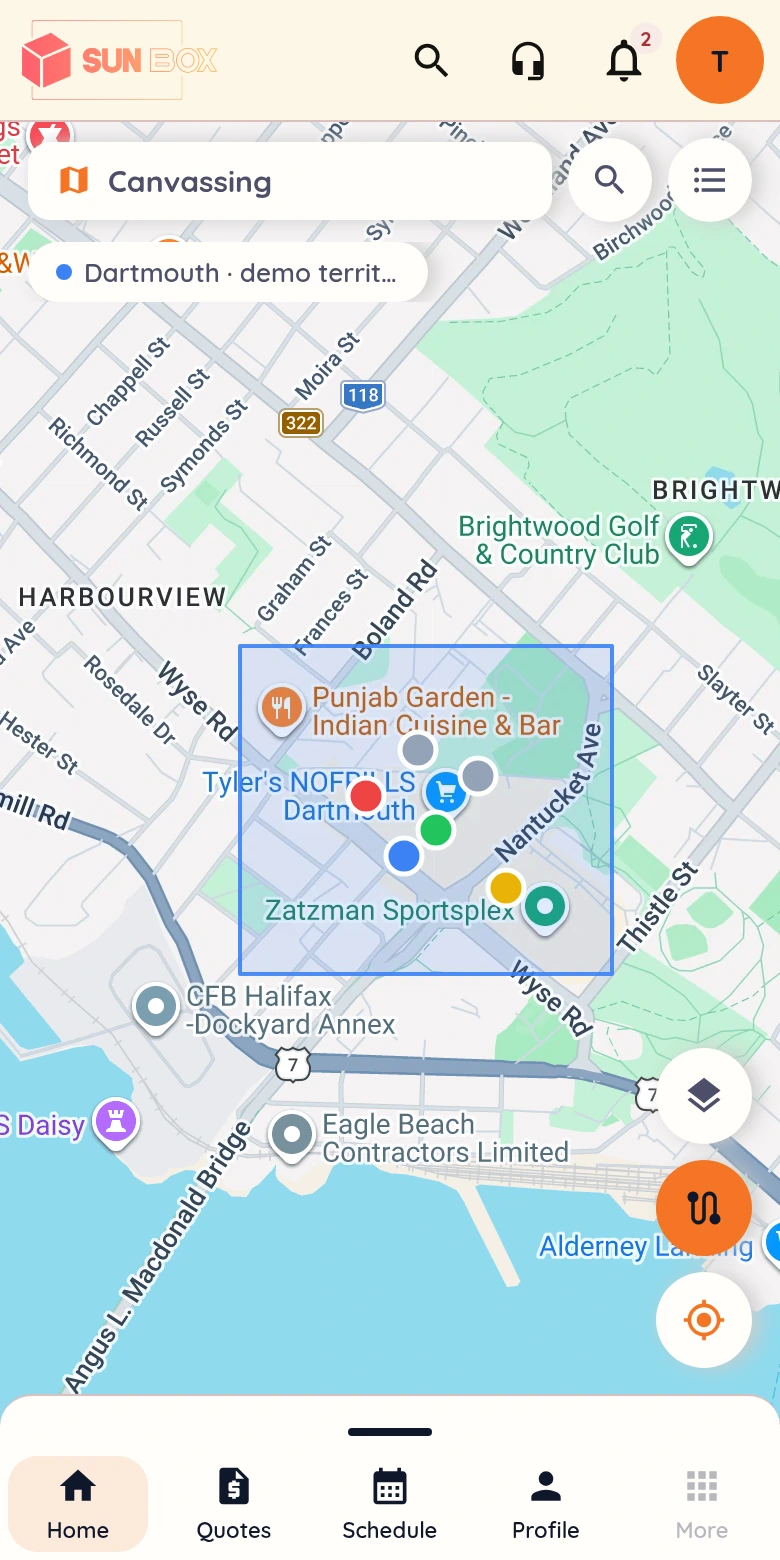
Work a mapped territory in Lilypad and log each knock. When a homeowner is interested, capture their details and book the site visit before you leave the step. Offline knocks queue and sync with their original time when the signal returns.
See Lilypad canvassing ↗Actual product screens with demonstration data. Form fields and branding are configurable.
Start from a recipe, then change the trigger, the wait and the message. In this one, a sent proposal waits three days before a reminder goes out, and a signature stops the sequence. Automations handle customer emails, texts, tasks and calendar events, move the stage, notify the owner and convert the lead to a project.
Read the sequence, then change the wait, the message or the exit rule.
Proposal is sent
Give the customer time to review their proposal.
To the proposal contact, using the selected template.
A form submission sends your welcome email and notifies the lead’s owner before anyone has to check the inbox.
Waits, conditions and exit rules mean the reminder reaches only the customer who has not opened or signed yet.
Continue into design & proposals ↗The moment the quote is signed, the project is marked won, the customer gets a welcome email and the kickoff call lands on the calendar.
Sales, design, the office and the field work the same records, each with the view their role needs. Custom roles are available on Standard and Pro. Verified staff can opt in to text alerts for new leads, first proposal opens and signed quotes.
Add setters, closers, designers, installers and coordinators. Your subscription price does not change.
Give each location its own leads, projects and people inside one company account, with no per-location fee.
Comments, files and mentions live on the customer and project, so the office and the crew read the same thread.
We’ll follow it from the form or the door through design, proposal, invoice and crew schedule in one live demo.