Plan the visit.
Keep the site record.
Before you commit the day, the board shows who has the skills, how far the drive is, what overlaps and what the weather will do. The customer gets a text when the crew is on the way. On site, the crew signs off the toolbox talk in Lilypad and the sealed record lands on the project.
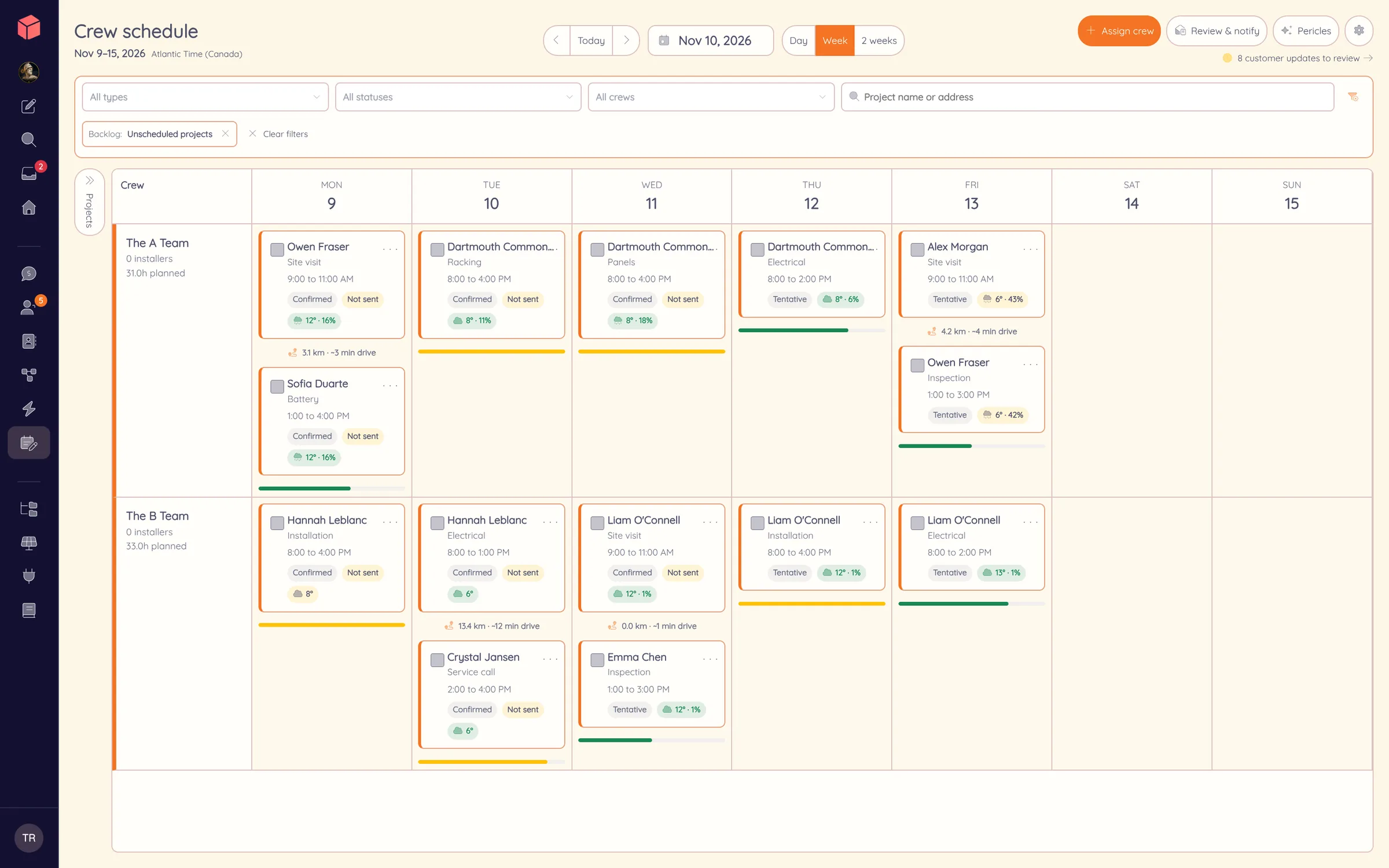
The week, crew by crew.
Every visit on its project.
Book site visits, installs, inspections and service calls on the project they belong to. Staffing, skills, capacity and conflicts show up while you are booking, not after the truck leaves.
Plan around the crew
Availability, overlapping jobs, distance from the last stop and the forecast are on the board before you book. A multi-day install stays one job on the project.
Keep calendars aligned
Assigned work syncs to Google Calendar, and a connected calendar’s private free/busy time shows as a conflict when you schedule.
Tell the customer
The visit sends confirmations, reminders, schedule changes and crew-on-the-way messages by text and email, with an add-to-calendar link and a page where the customer confirms or asks for a change.
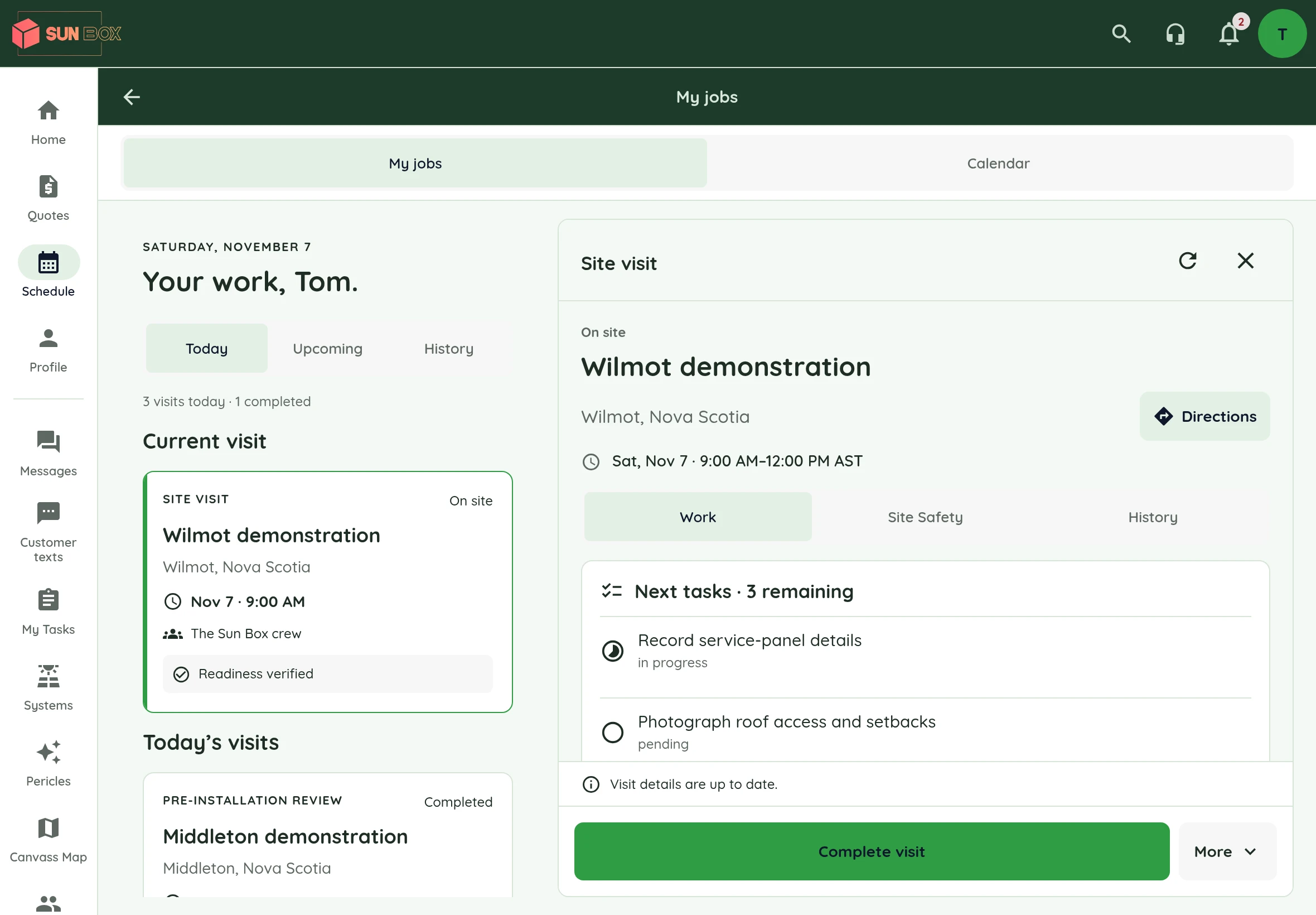
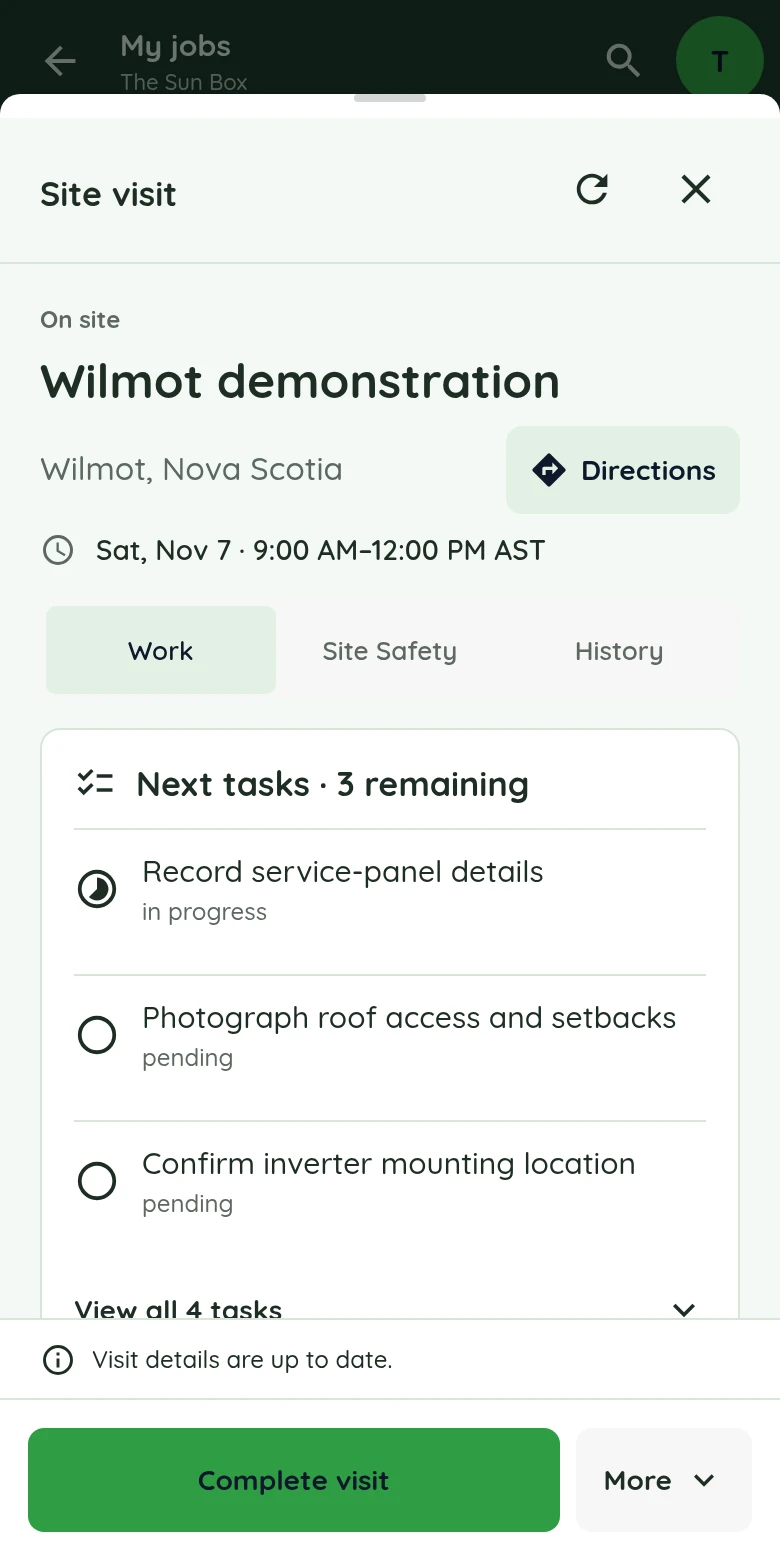
The office’s notes,
in the crew’s hands.
The crew captain and assigned installers open the address, visit notes, documents and tasks on their phone or tablet. Photos, completed tasks and status changes go straight back onto the project.
More about Lilypad ↗Current Lilypad interface with demonstration data. Device frame shown for illustration.
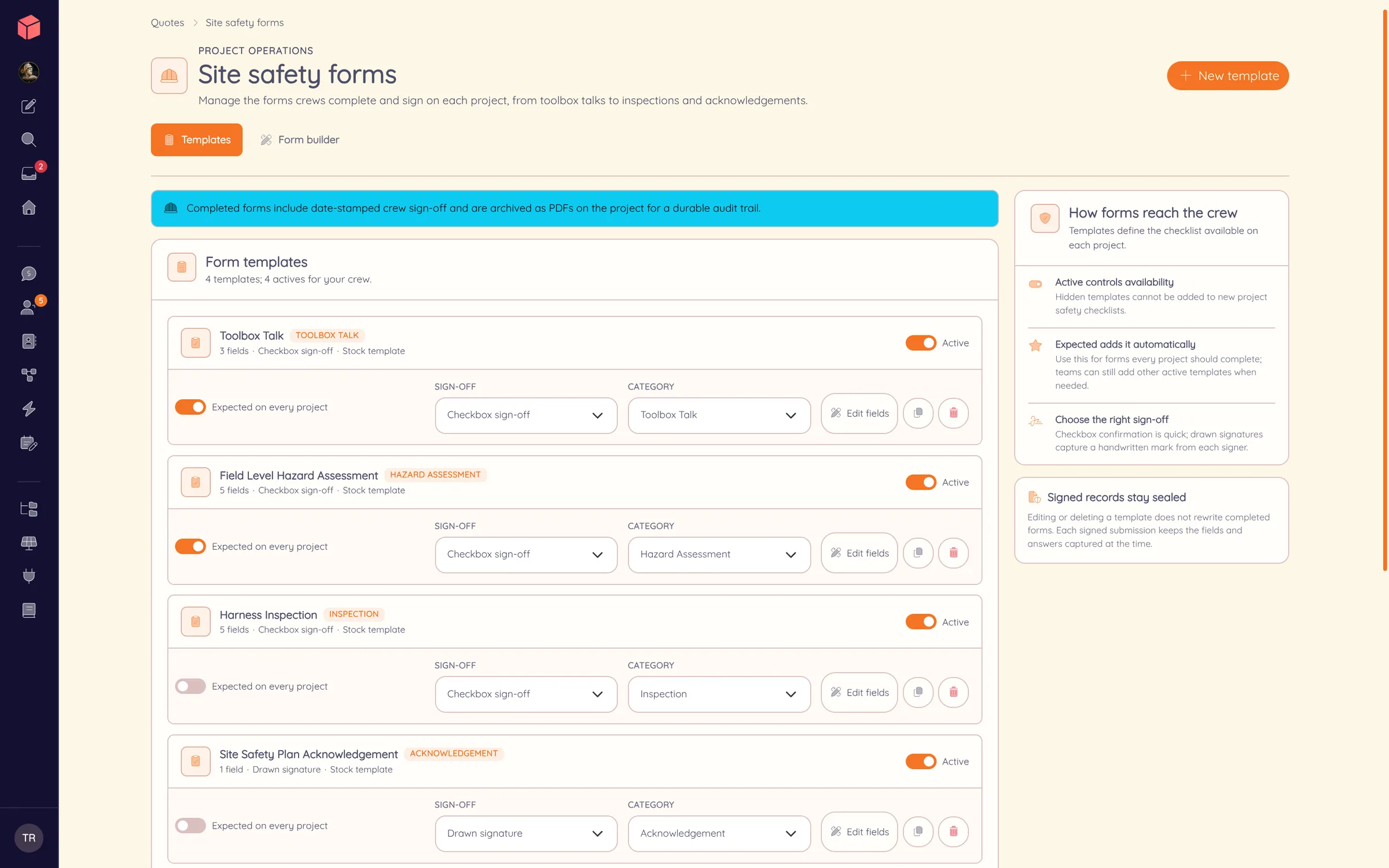
Set the standard once.
Start from toolbox talk, hazard assessment, harness inspection and site safety plan templates, or build your own. Turn each form on or off, choose its category and decide which forms are expected on every project.
Pick how the crew signs off on each form: a quick checkbox confirmation or a drawn signature.
Signed on site. Sealed on the project.
At the truck, the crew opens the hazard assessment in Lilypad and answers the questions that apply to this site. Each person signs by checkbox or drawn signature.
Every signature is time-stamped by Powerlily, not by the phone, with optional GPS. Each submission keeps the form version it was completed on. The finished record is sealed as a PDF on the project, ready the day someone asks for it.
Wilmot demonstration
Field Level Hazard Assessment
Crew sign-off
Watch a crew’s day in Powerlily.
Schedule a visit, text the customer, open the job in Lilypad and sign off a Site Safety form, start to finish.