The job leaves the desk.
The record goes with it.
Lilypad is Powerlily on the phone in your pocket and the tablet in the truck. Knock a territory in the morning, open the afternoon install with its tasks and documents, and send back photos and signed forms. The office sees all of it on the same record.
What the crew sees,
the office sees.
Open the job on site, take the photos and sign the Site Safety form.
Everything lands on the project record.


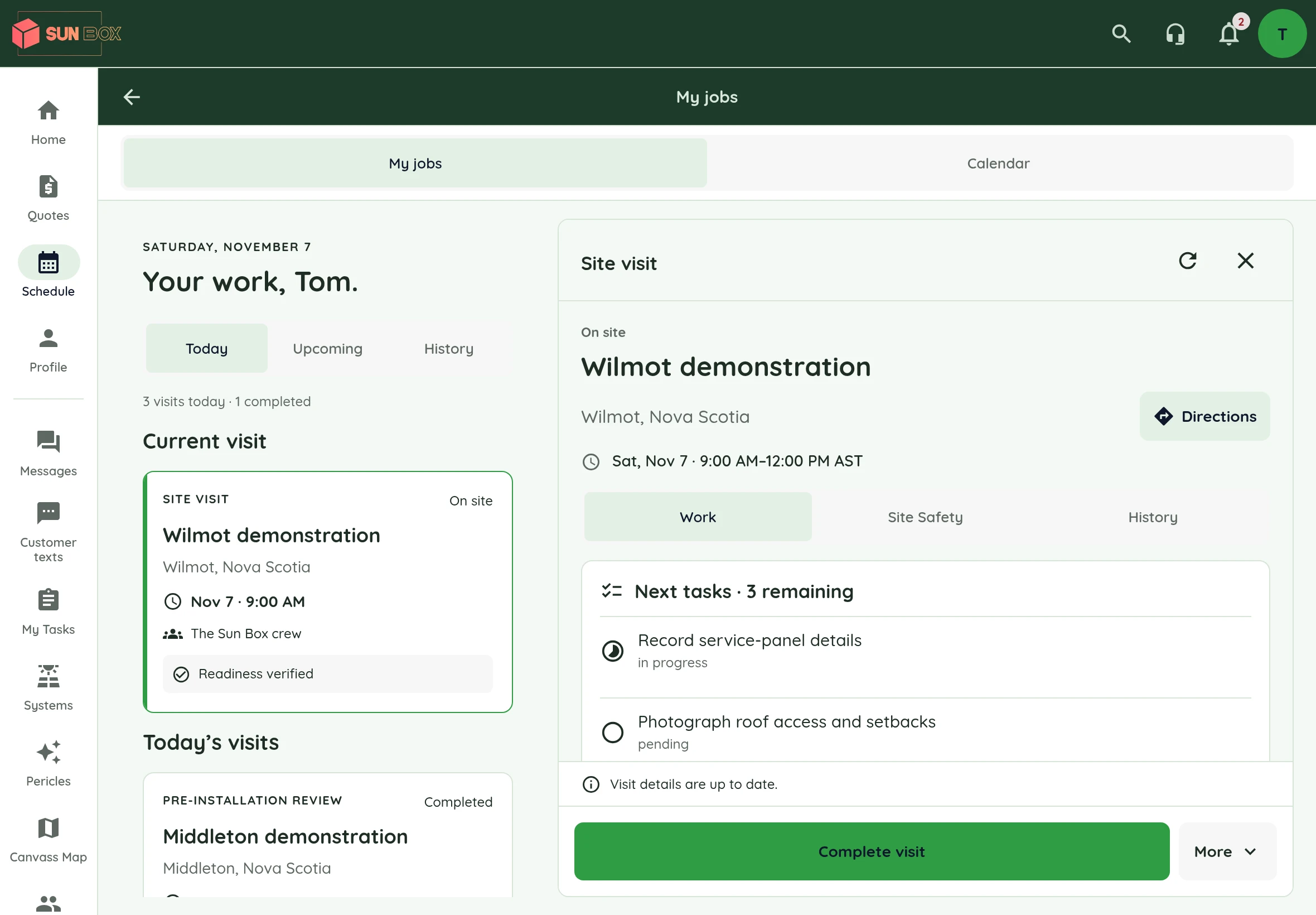
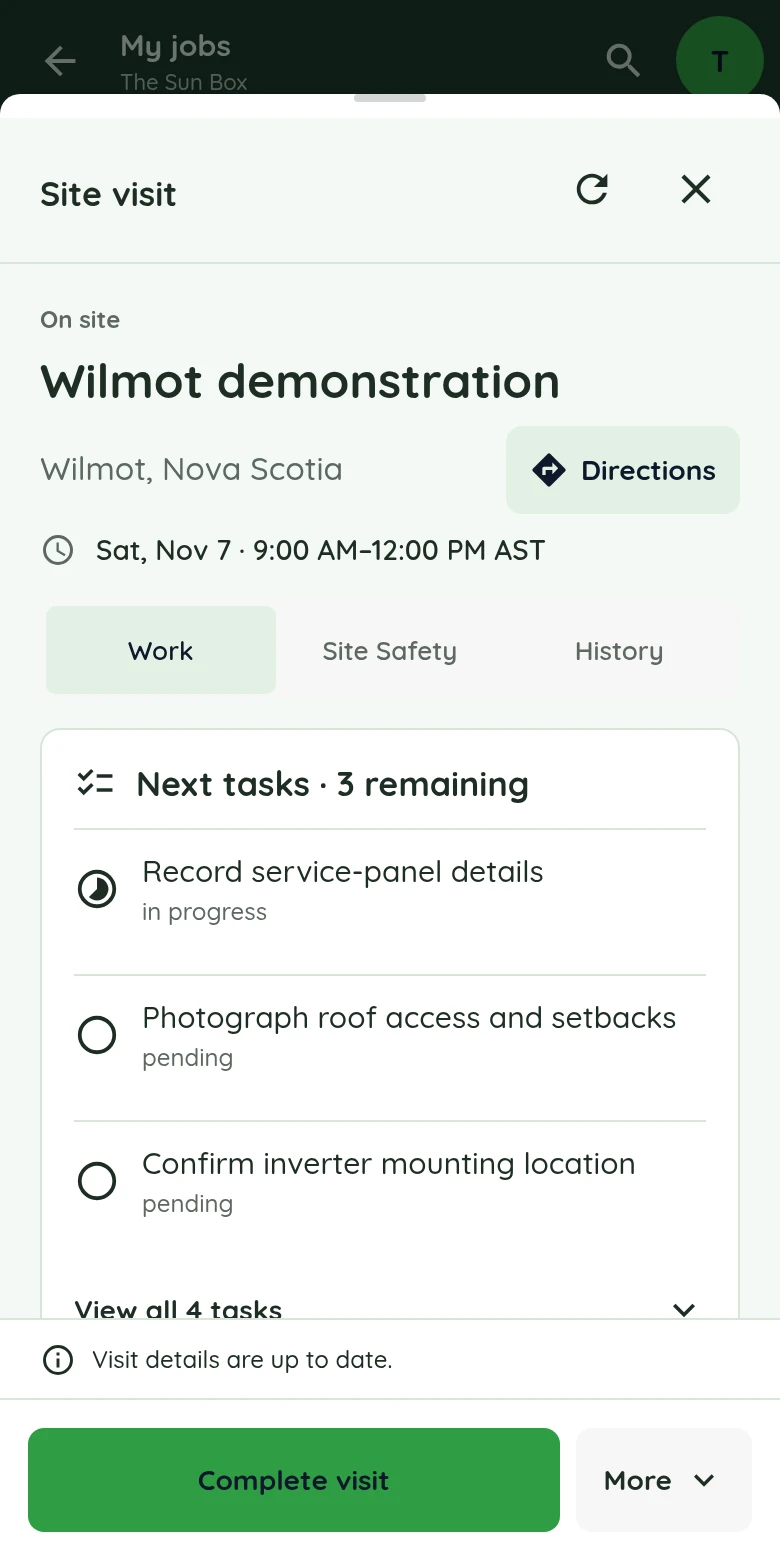
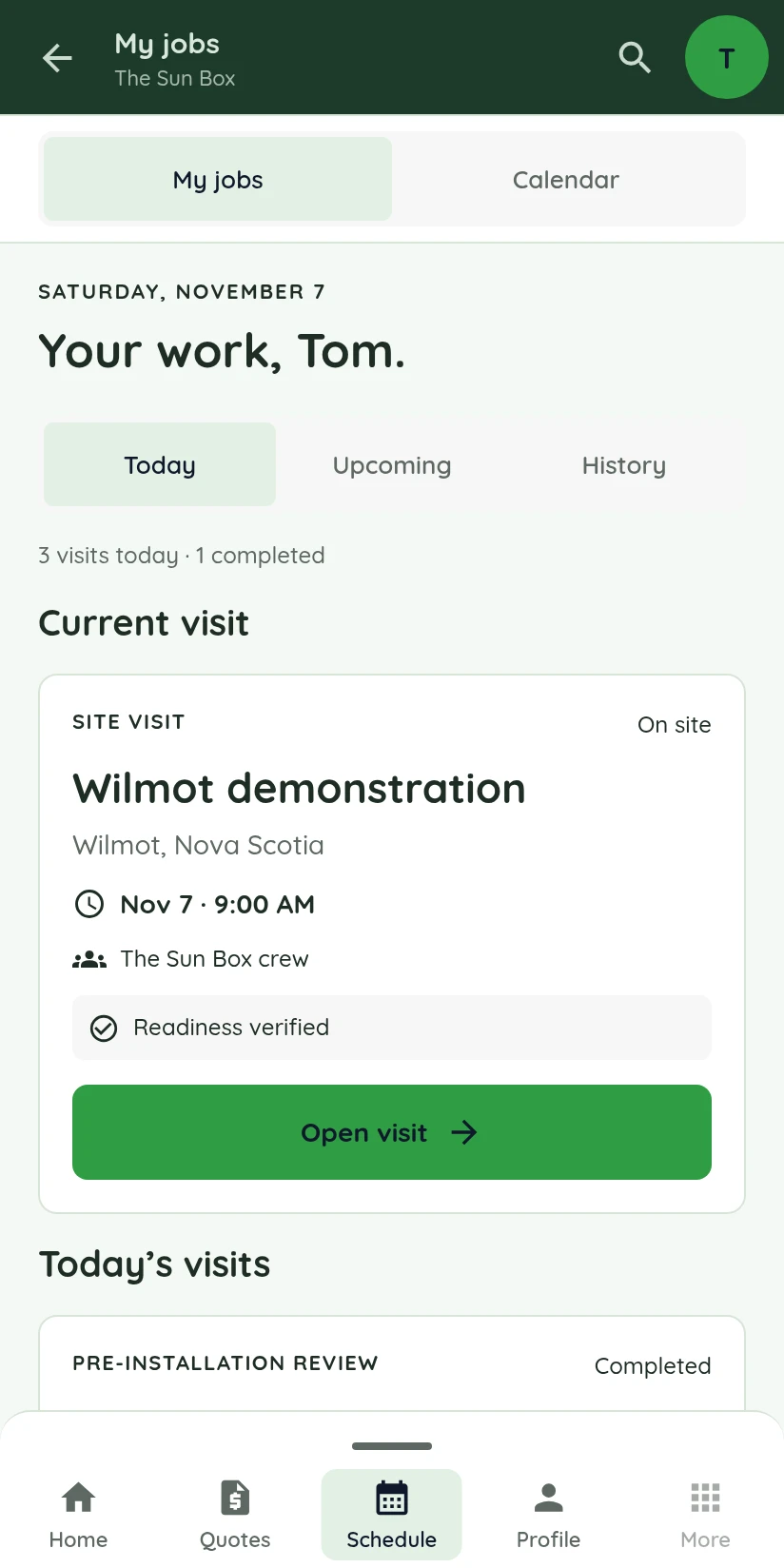
Current Lilypad interface with demonstration data. Device frames shown for illustration.
The whole day on the tablet.
The next stop on the phone.
Pick a device to see the real Lilypad screens. The tablet keeps the visit list beside the open job. The phone carries the details from one stop to the next.
The day on the left.
The job on the right.
Work through the open job’s site notes, tasks and documents while the rest of the day stays on screen. Project files and the team thread are one tap away.
The visit,
task by task.
Record the service panel, check roof access and confirm the inverter location, then mark each task done from the roof. Nothing waits for the drive back.
Get Lilypad for iOS ↗
This stop.
Then the next.
The current job, the next visit and what is already done, in order. Open a visit for the address, the notes and the tasks.
Get Lilypad for Android ↗The setter and the crew.
One app, one record.
Each person sees the projects and tools their role allows. A push notification brings the next task, message or schedule change to their phone.
Start at the door
Work a mapped territory, log one of seven knock outcomes and create a lead or book an appointment at the door. Offline knock activity queues and syncs when connectivity returns.
Follow the lead into the CRM ↗Send back the proof
Site photos, completed tasks and signed Site Safety forms post to the project while the crew is still on site.
See Site Safety ↗Talk on the project
Comments and messages stay on the project, so the office answers the crew without a phone call. Shared progress and photos can carry on into the client portal on Standard and Pro.
See the client portal ↗Put the project in the truck.
Download Lilypad on iOS, Android and iPad, then sign in with your Powerlily account. It is included on every plan.