From the array
to every connection.
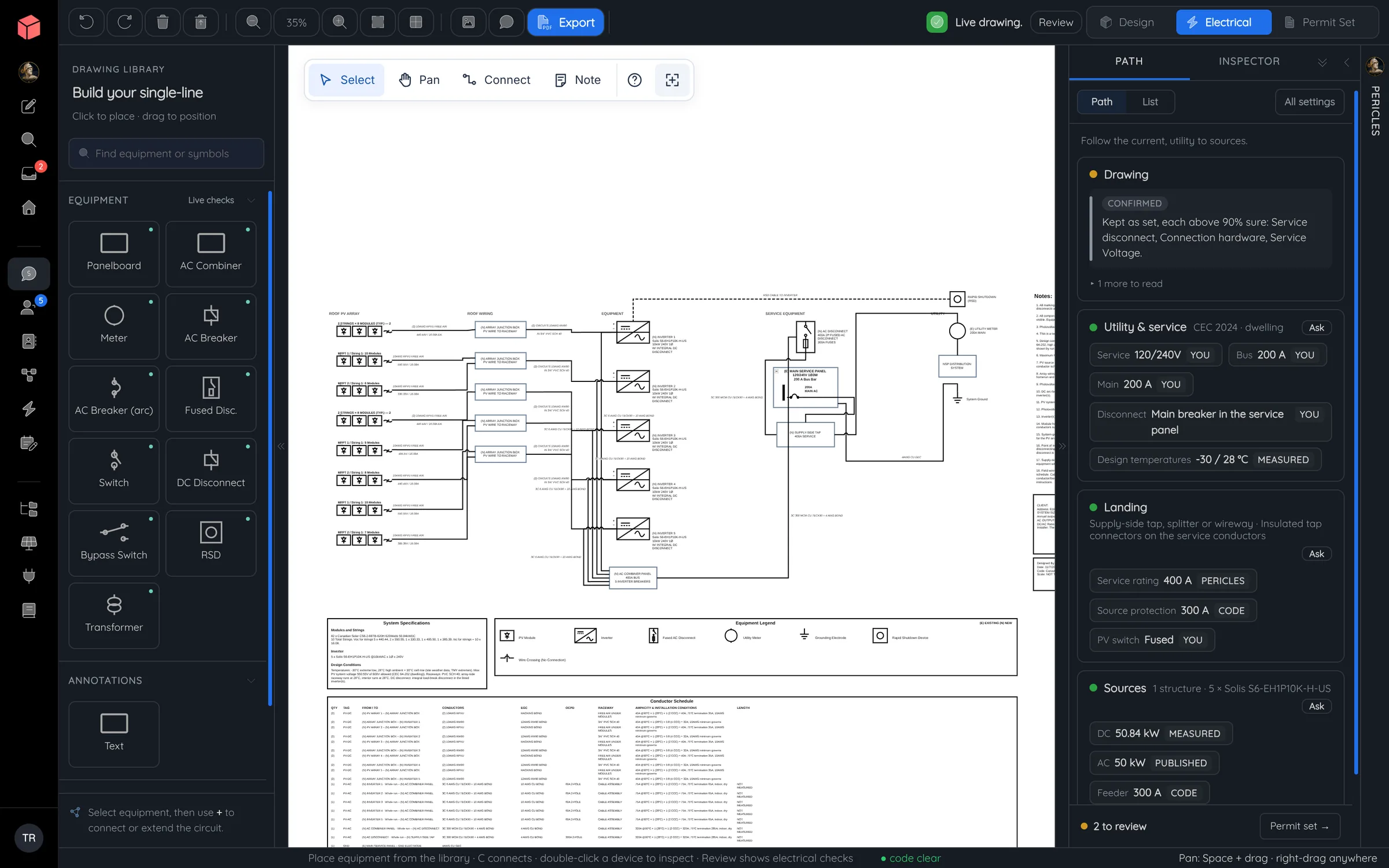
The electrical drawing starts from the panels, strings, inverters and batteries already in the design, so nothing is redrawn. Edit any connection, clear the findings and carry the result into the permit set.
Work through the circuit
The drawing and the checks stay together.
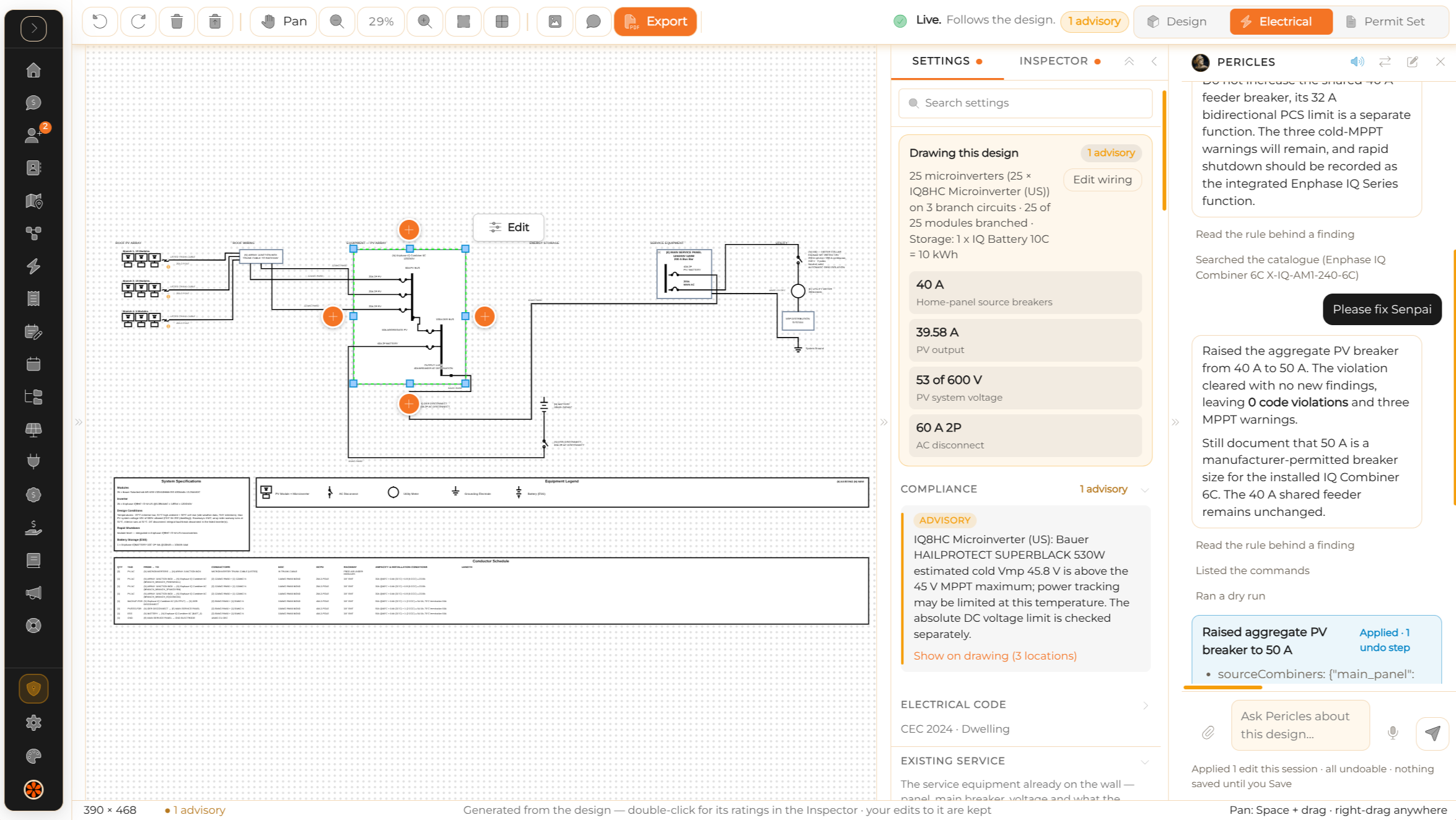
Select a device, a wire or a schedule cell and you are looking at the same circuit. Change a conductor and the drawing, the schedule and the calculations update together.
Findings separate violations from advisories and unfinished work. Each one links to its equipment or connection and shows the values and code reference behind it.
Specs come from your equipment library ↗- Solar, storage and service
- String and microinverter systems, AC- and DC-coupled storage, supported backup isolation and single- or three-phase services.
- Wiring and protection
- Conductor sizing, cable choices, bonding, raceway fill and overcurrent protection, with project defaults and local exceptions.
- Routes and voltage drop
- Run lengths and wiring sections drive the voltage drop. A missing length shows as uncalculated, never as a guess.
- NEC and CEC contexts
- Equipment limits, temperature-corrected string voltage and supported interconnection checks, including busbar and main-breaker alternatives under the 120% rule.
Ask about the drawing in front of you.
Pericles reads the equipment, circuits and findings on screen. Ask why a breaker is flagged, which connection it affects and what would clear it.
Preview the edit and see how the findings would change before you apply it. Every change runs through the same electrical checks as your own, comes with a summary and can be undone.
Prepare the drawing
Ready for the next reviewer.
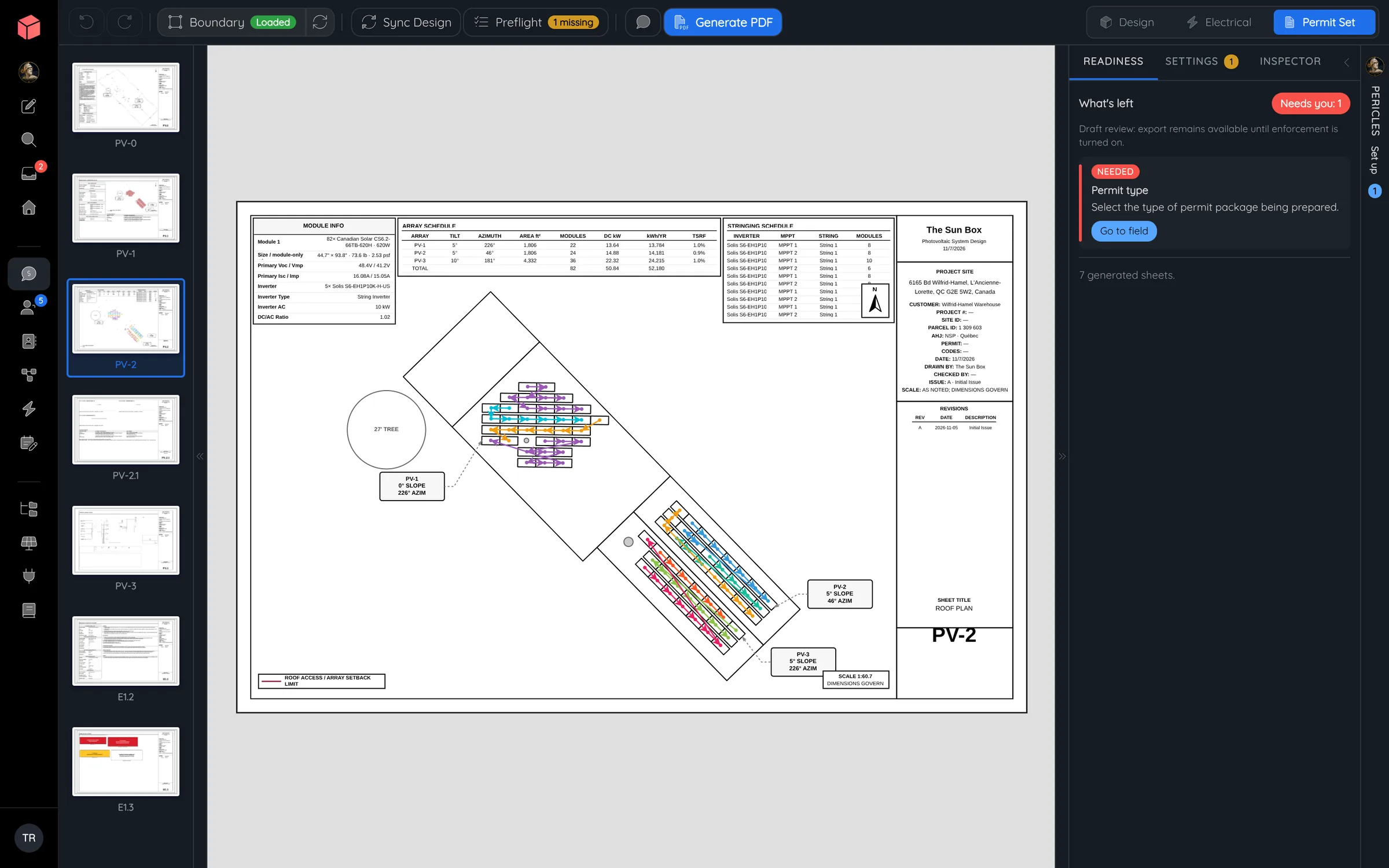
Position equipment, route wires and add notes without breaking the link to the electrical values. Export the drawing on its own or issue it inside the coordinated plan set.
Missing ratings and unresolved findings stay visible so the team can finish its review before issue.
Open a Powerlily SLD ↗A readable drawing
Your layout, labels and annotations survive design changes.
Matching schedules
Equipment callouts and conductor schedules read from the same circuits, so they cannot disagree.
A coordinated issue
The electrical sheet, title block and equipment specs land in the permit package together.
Watch a design become its single-line.
Our team draws the single-line from a finished string layout and clears a finding with Pericles. Both are included with Powerlily Pro.